AI Integrations
AI Command Center
A personal program built out of necessity — maintain my Predator lab, navigate Linux after decades on Windows, and organize every project and integration the way my stack actually works. Improves every day.
Why I built it
I switched to Ubuntu to run AI and creative tools natively — no WSL, no Windows virtual layers, no sandbox maze. But a lifetime of Windows habits left me juggling terminals, browser tabs, GPU contention, and projects spread across folders with no single view of the machine. AI Command Center is the cockpit I wrote for myself: Predator hardware health, Linux navigation, privacy, and every integration I depend on.
It is not a product pitch or a generic dashboard template. It is a living tool shaped around my tech stack — and it gets better every week as new tabs, monitors, and launchers land.
Overview dashboard
The home screen — system resources at a glance, quick-launch for AI tools, privacy status, and a live event feed. This is the first thing I open on the Predator lab every day.
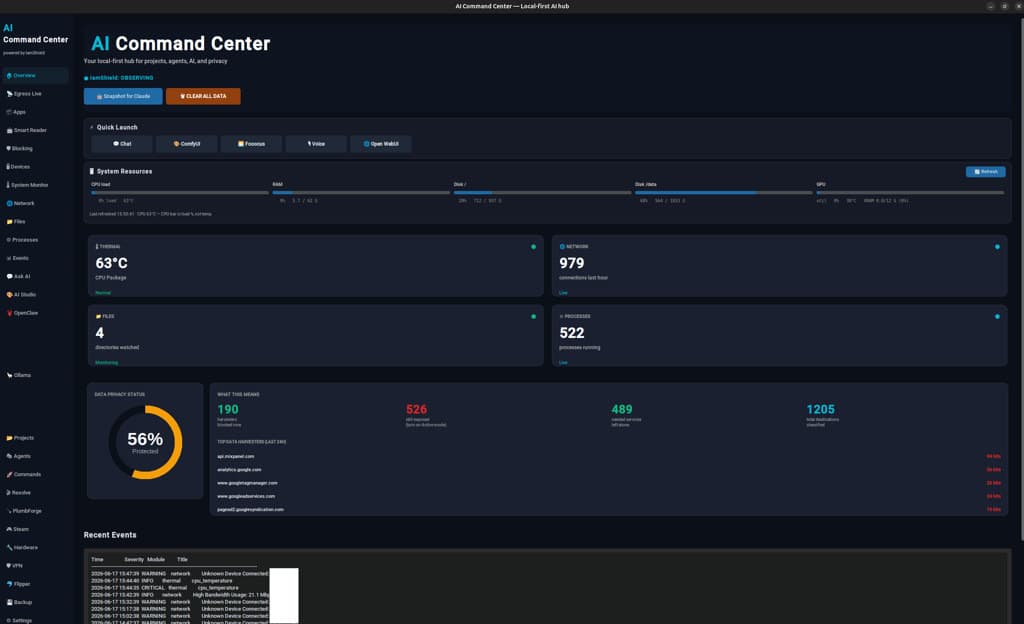
- ·Overview — system resources, thermal, network, files, and process monitoring
- ·Quick Launch — Chat, ComfyUI, Flowise, v0, Open WebUI from one strip
- ·Data Privacy Status — blocked trackers, domains, and monitored applications
- ·Recent Events — live log of network, process, and security warnings
- ·Sidebar — Projects, Agents, Commands, Files, Network, Logs, AI Studio, OpenClaw
- ·Snapshot for Claude — one-click machine context export for desk agents
What it does
One desktop app that is a privacy console, AI launcher, project cockpit, VPN/hardware panel, creative prep shop, and remote-agent status board — not another chatbot.
Predator hardware, kept honest
Thermal, RAM, disk, and GPU readouts in one place — so a high-performance Acer Predator laptop stays cool and accountable while running ComfyUI, Resolve, local LLMs, and browser agents side by side.
Linux without the Windows baggage
After a lifetime on Windows, I moved to Ubuntu to skip WSL layers, sandbox friction, and virtual-machine overhead. The Command Center became the map I wished existed on day one.
Projects and integrations in one cockpit
Dozens of repos, agents, VPN, firewall, creative pipelines, and business sites — organized in tabs instead of scattered terminals and browser bookmarks.
Privacy you can see
OpenSnitch integration, tracker blocking, and a live privacy score — outbound connections classified and surfaced instead of guessed at.
Hardware controls
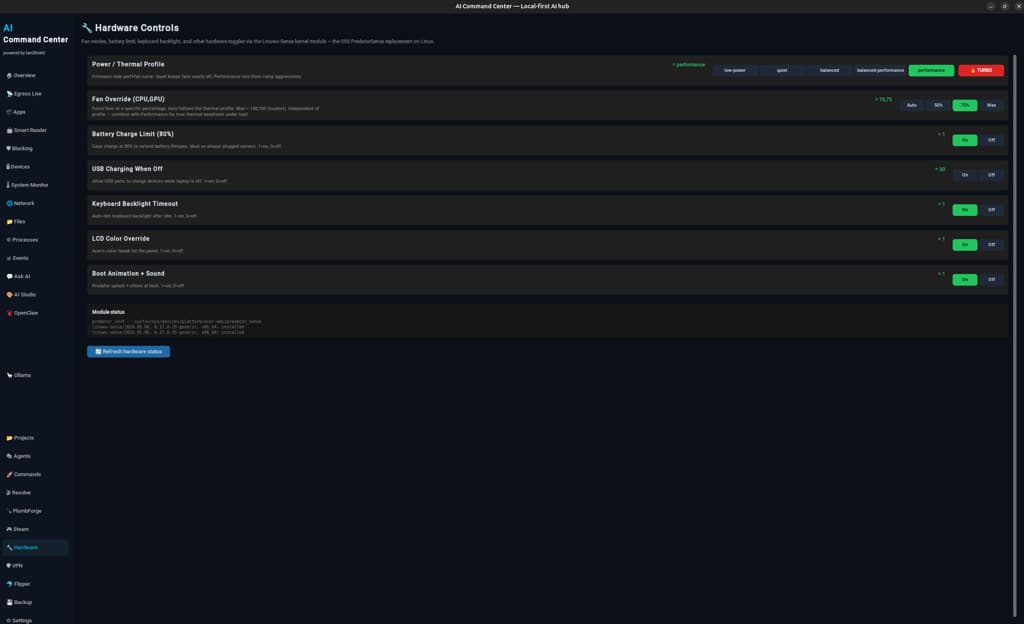
PredatorSense-style thermal profiles on Linux — fan override, battery charge cap, USB charging when off, and keyboard backlight. Built on the Linuwu-Sense kernel module so the Helios 18 stays cool under ComfyUI, agent turns, and long builds.
Commands launcher
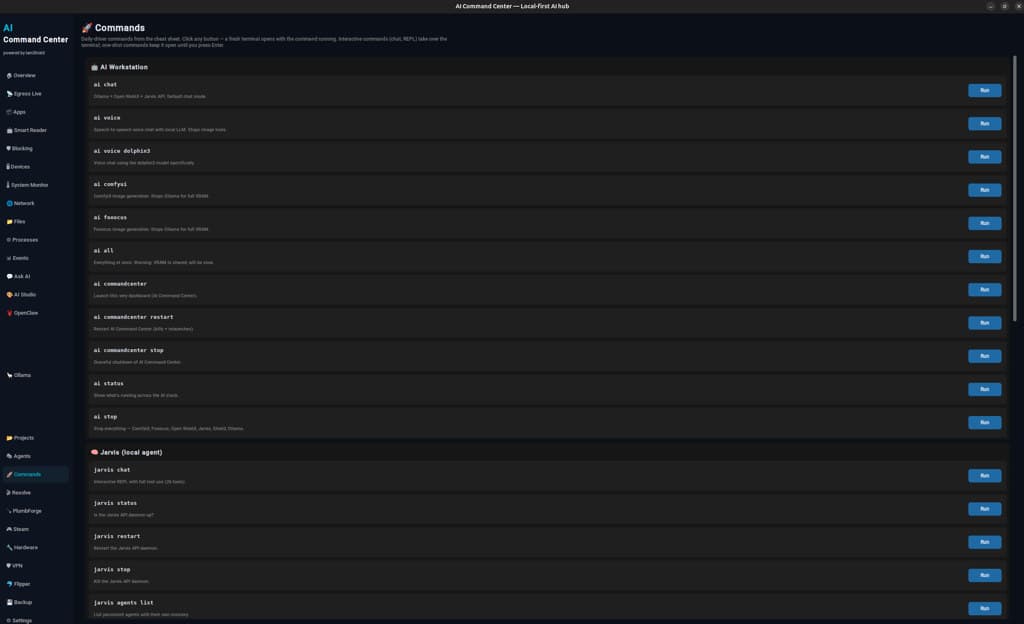
One-click cheat sheet — every daily-driver command opens in a fresh terminal. AI workstation modes, Jarvis local agent, OpenClaw ops, and project launchers without hunting aliases.
Capability map
Privacy (IamShield)
Hosts OpenSnitch UI socket, classifies outbound pairs with local LLM, caches verdicts, enforces curated ad blocklist.
Multi-agent
Grok terminal/browser, Claude Code desk, OpenClaw Telegram — explicit provider boundaries by design.
AI workstation
Unified ai <mode> launcher: ComfyUI, Fooocus, Ollama, Resolve, Steam with VRAM-aware mutual exclusion.
Creative
Resolve Media Lab ffmpeg ops, PlumbForge launcher, Projects tab with live git + .dashboard.json checklists.
Security
Mullvad VPN panel, backup tab, YubiKey-gated tooling for high-risk operations.
Agent-native docs
Context-Folder corpus so any new Grok/Claude session boots with full machine context.
How I built it
- Claude Code — dashboard UI, OpenSnitch gRPC, Flipper safety gates, VPN/Steam/Resolve tabs
- Grok — system architecture, OpenClaw ops, context corpus, incident postmortems
- Operator loop — Windows→Ubuntu migration, daily Predator maintenance, and integration across every project on this site
I don't prompt my way to products. I operate a machine with agents as senior contractors — and I built the cockpit so nothing falls through the cracks.
Technical snapshot
Python 3.12 · CustomTkinter · SQLite · OpenSnitch · Ollama · Ubuntu 24.04 on Acer Predator Helios 18. Master launcher: ai commandcenter.
Personal tooling by Codee Jessen · Smart Code Factory LLC
Questions about this project?
Contact